VidServe
Turn any video folder on your PC into a local streaming website with one click — watch on phone, tablet, or PC!
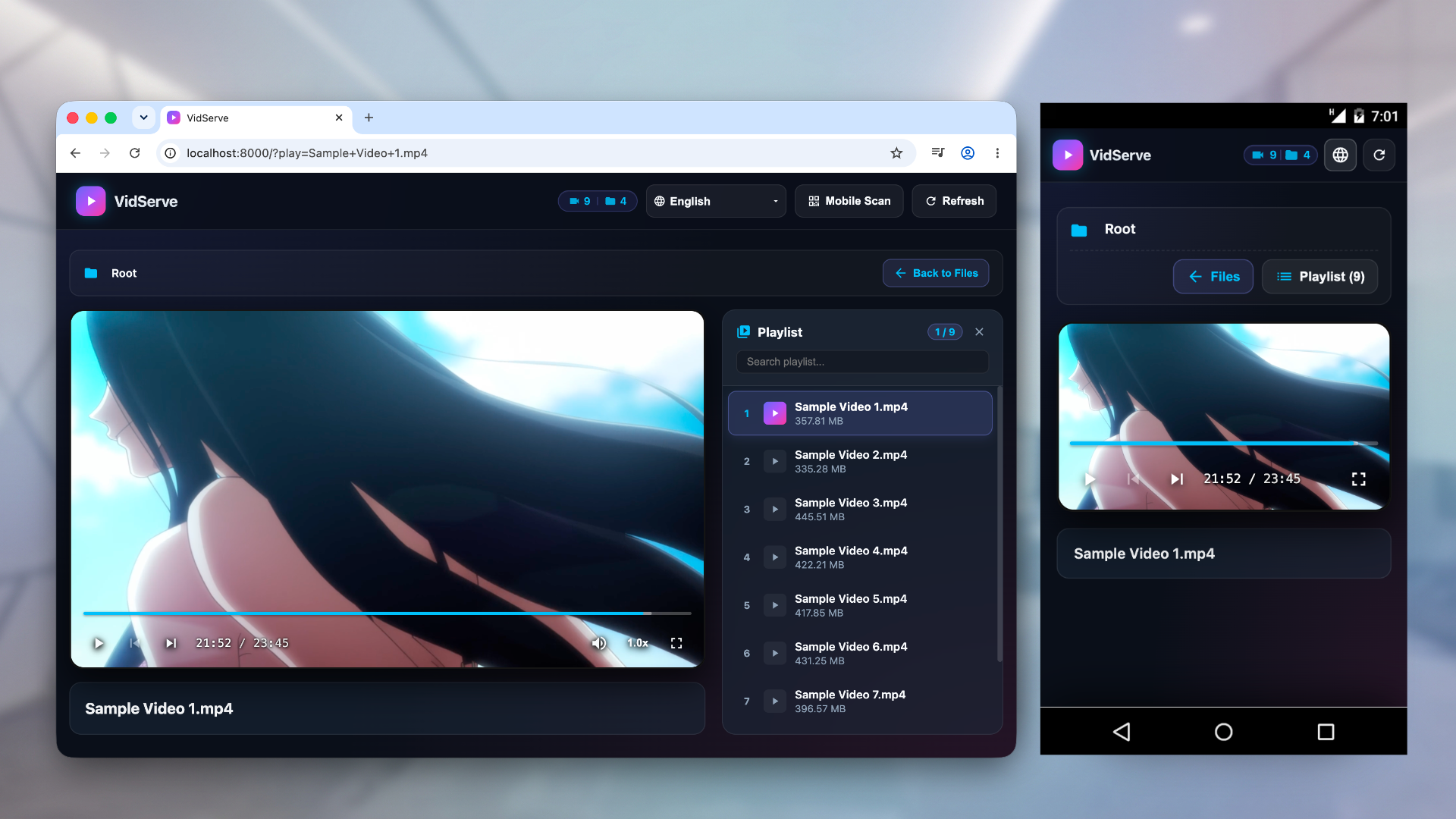
VidServe is a lightweight and easy-to-use LAN video server and media player. With zero complex configuration, simply select a video folder on your PC and launch your personal video website in seconds!
Enjoy a seamless, web-like streaming experience whether on your PC or across other devices on your home network.
Key Features
- 🚀 One-Click Setup: Select a directory, click start, and your local video server is ready.
- 📱 Cross-Device Browser Streaming: Scan a QR code on your phone or tablet to play videos directly in any web browser — no client app required.
- 🌐 Sleek Web-Like UI: Browse directories and watch videos with a clean, smooth, modern interface resembling top video platforms.
- 🎵 Smart Auto-Playlists: Automatically gathers all video and audio files in the current folder into a continuous playlist.
- ⌨️ Intuitive Controls: Full support for PC keyboard shortcuts and mobile touch gestures.
- 🌍 Multi-Language Support: Native multi-language interface for a global experience.
Whether you want to watch PC movies from your phone in bed or share media across your local network, VidServe is your perfect lightweight solution!
Installation
- macOS: Download the latest
.dmgfile from GitHub Releases, open it, and drag VidServe to your Applications folder. - Windows: Install directly from the Microsoft Store.
Updating
- macOS: VidServe will notify you in-app when a new update is available. To update, remove the old version from Applications and install the latest version downloaded from GitHub Releases.
- Windows: Updates are managed automatically by the Microsoft Store.
Known Limitations & Notes
- Codec Compatibility: Due to native browser engine limitations, certain audio/video codecs may not play properly.
- Subtitle Support: External subtitle files are not supported in the current version; this will be addressed in future updates.
- Firewall Notice: Before accessing via local network (LAN) from other devices, please ensure Windows Firewall allows the specified port or is configured accordingly.
Privacy Policy
Click here to view our Privacy Policy.